WoW Forever keybinds: why they reset and how to fix them
Short answer: ⌨️ WoW Forever saves your keybinds when you log out or exit through the game menu. Closing with Alt+F4, crashing or disconnecting skips that save, so your binds reset. If they still won't stick, Blizzard says to untick Read-only on the WTF folder. (Blizzard Support)
| Problem | Fix | Source |
|---|---|---|
| 🔁 Binds reset after restart | 🚪 Use Logout or Exit Game, not Alt+F4 | ✅ Blizzard Support |
| 🔒 Reset every time, even after logging out | 📂 Untick Read-only on the WTF folder | ✅ Blizzard Support |
| 👤 Binds differ between characters | ☑️ Check the character-specific option | ⚠️ Player reports |
| 🧹 Want a clean slate | 🔄 Reset button in Options > Keybindings | ⚠️ Player reports, [Unconfirmed] in Forever |
| 🗿 Shaman totems need a key | 🔥 Bind the Call spells from the totem bar | ✅ Blizzard deep dive |
| 🎮 Using a controller | 🕹️ See controller support | ✅ Blizzard dev notes |
⌨️ Where keybinds live in WoW Forever
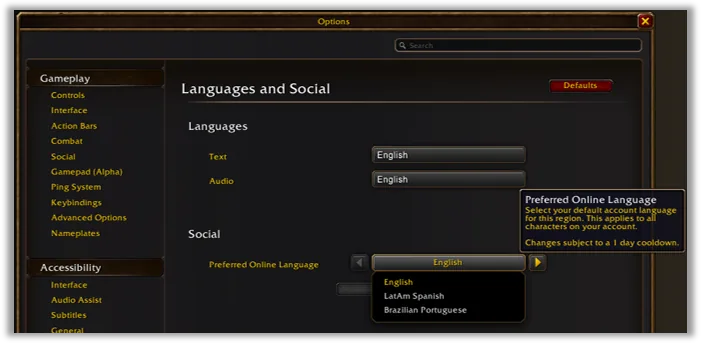
Forever has a Keybindings entry in its Options list, next to Action Bars, Combat and Gamepad. Blizzard's own screenshot of the Forever Options window shows it. (Blizzard ruleset article)
On disk, a player who went through the beta folder file by file found binds in these files. (From Beta to Live guide)
| File | Holds | Where |
|---|---|---|
📄 bindings-cache.wtf |
Account-wide keybinds | WTF\Account\<account>\ |
📄 bindings-cache.wtf |
One character's binds (only if set per character) | WTF\Account\<account>\<realm>\<character>\ |
🖱️ click-bindings-cache.txt |
Click casting | Character folder |
📄 macros-cache.txt |
Macros you bind to keys | Account or character folder |
⚠️ This file list comes from a player's own testing in the beta, not from Blizzard.
🔁 Keybinds not saving: the fix checklist
Blizzard says key binds and macros are saved when you close the game through the in-game menu, and Alt+F4 can lose them. It also says files set to Read-only can't be updated on exit. (Blizzard Support)
| Step | What to do |
|---|---|
| 1️⃣ | Set your binds, then press Escape > Log Out (or /logout, /camp) |
| 2️⃣ | Don't Alt+F4 or click the window's X. Players say a disconnect also skips the save (forum thread) |
| 3️⃣ | Wait for the game to close fully before shutting down your PC |
| 4️⃣ | In the Battle.net app, open the game's options and Show in Explorer |
| 5️⃣ | Right-click the WTF folder > Properties, untick Read-only, and apply it to all sub-folders and files |
| 6️⃣ | Check whether character-specific binds are on. If they are, each character keeps its own set |
🐞 The beta "everything resets" bug
Early in the beta, settings were written to disk but never read back after a full restart, so addon settings reset every session. Players said build 1.60.1.70009 fixed it. (EU bug thread, US bug thread) If addon settings reset rather than keybinds, see addons not saving settings.
🔄 Resetting keybinds
Players on Blizzard's forums say keybinds are stored separately from other UI settings, so deleting the WTF folder doesn't reliably reset them. Use the reset button in the Keybindings panel instead. [Unconfirmed] the exact button name in the Forever client. For a full UI reset, follow Blizzard's Technical Troubleshooting steps.
Blizzard Support also says it can't help with keybind or macro setups, so player forums are the place for layout advice. (Blizzard Support)
🗿 The Shaman totem bar
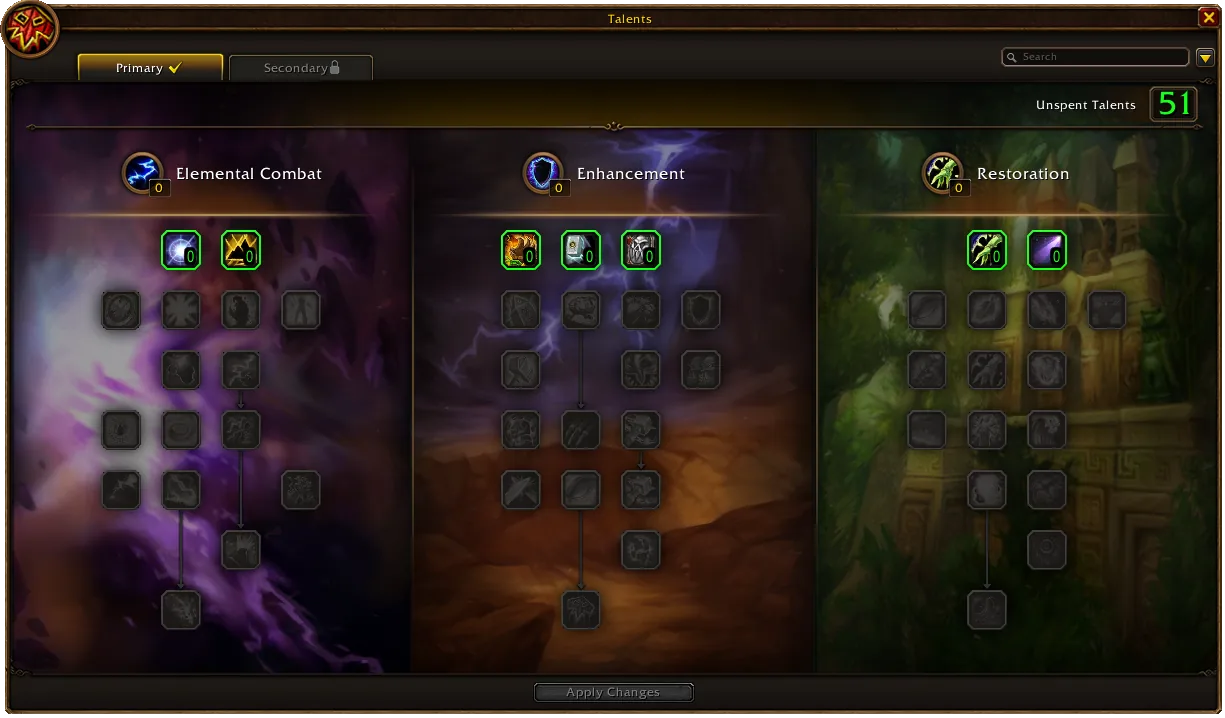
Forever gives Shamans a totem bar. Learning Call of the Elements at level 20 unlocks it. You preset one totem per element, and the spell drops all four after a 3-second cast. Call of the Spirits (level 30) and Call of the Ancestors (level 40) add a second and third set. (Blizzard deep dive)
| Spell | Level | What to bind it for | Source |
|---|---|---|---|
| 🔥 Call of the Elements | 20 | Drop totem set 1 | ✅ Blizzard |
| ↩️ Totemic Recall | 20 | Remove all totems, refund 25% mana | ✅ Blizzard |
| 📍 Totemic Projection | 22 | Move totems within 30 yards | ✅ Blizzard |
| 💧 Call of the Spirits | 30 | Drop totem set 2 | ✅ Blizzard |
| 🌿 Call of the Ancestors | 40 | Drop totem set 3 | ✅ Blizzard |
The bar also tracks active totems, and a right-click dismisses one. (Blizzard deep dive) Warcraft Tavern says that if the bar is hidden, you turn it on in Edit Mode > Advanced Options > Totem Bar. [Unconfirmed] by Blizzard. (Warcraft Tavern) Put the Call spells on your action bar so they get a key. More on the class: Shaman guide.

📦 Keeping your beta keybinds
The live game is a fresh install, so beta binds don't carry over by themselves. A player guide says you can copy bindings-cache.wtf from the beta's _classic_beta_\WTF\Account\<account>\ folder into the live account folder, after logging in once on live and closing the game. It warns not to copy Config.wtf, because it holds server settings. (From Beta to Live guide) [Unconfirmed] by Blizzard. Back up the live file first.
Edit Mode layouts move more safely as a share code. See importing a UI code.
🎮 Controller bindings
Gamepad bindings live under Forever's Gamepad (Alpha) options, and Blizzard's dev notes say layouts save per UI type (gamepad or keyboard). (Blizzard dev notes) Full details are on our platforms page.
FAQ
Why do my WoW Forever keybinds keep resetting?
Usually because the game closed without a proper logout. Binds save on Logout or Exit, not on Alt+F4, a crash or a disconnect.
Where are WoW Forever keybinds saved?
In bindings-cache.wtf inside your WTF\Account folder, or in a character's folder if you use character-specific binds (player-tested in the beta).
My keybinds still won't save. What now?
Blizzard says to untick Read-only on the WTF folder and everything inside it, then log out normally.
How do I reset keybinds?
Open Options > Keybindings and use the reset button. Deleting the WTF folder doesn't reliably reset them.
Does WoW Forever have a Shaman totem bar?
Yes. Call of the Elements at level 20 unlocks it. You preset one totem per element and drop all four in a 3-second cast.
Can I keep my beta keybinds?
Players say yes: copy bindings-cache.wtf from the beta WTF folder into the live one. Blizzard hasn't confirmed this.
Do keybinds work with a controller?
Gamepad bindings are separate. See our platforms page for Forever's Gamepad (Alpha) settings.
Sources
- Blizzard Support: Macros and Key Bindings Missing
- Blizzard Support: World of Warcraft Technical Troubleshooting
- Blizzard: Choose Your Ruleset in WoW Forever (Options menu image)
- Blizzard: WoW Forever Class Deep Dives, Mage and Shaman (totem bar)
- Blizzard — WoW Forever Beta Development Notes (Updated October 26)
- Blizzard forums (player reports): SavedVariables fail to load, fixed in build 1.60.1.70009
- Blizzard forums (player reports): UI/Addon settings wiped on client restart (Forever beta)
- Blizzard forums (player reports): Keybinding Won't Save (30 Oct 2026)
- Blizzard forums (player guide): From Beta to Live, WoW Forever (WTF file list)
- Warcraft Tavern: WoW Forever Shaman guide (totem bar in Edit Mode)